
Website How-To
How to Use the Arizona DJ Connection Gear & Budget Estimator
Use Arizona DJ Connection's free estimator to plan a starting sound and lighting checklist by guest count and indoor or outdoor venue setting.
By Arizona DJ Connection · October 9, 2026
# How to Use the Arizona DJ Connection Gear & Budget Estimator
How many speakers do you need for 100 guests? Does an outdoor event change the sound setup? Should you ask about microphones, subwoofers, or lighting?
The free **Arizona DJ Connection Gear & Budget Estimator** helps you turn basic event details into a starting checklist. Enter your guest count, choose indoor or outdoor, and review suggested sound and lighting equipment.
The results are planning guidance, **not a confirmed DJ quote**. Use them to ask better questions.
Step 1: Open the Free Tool
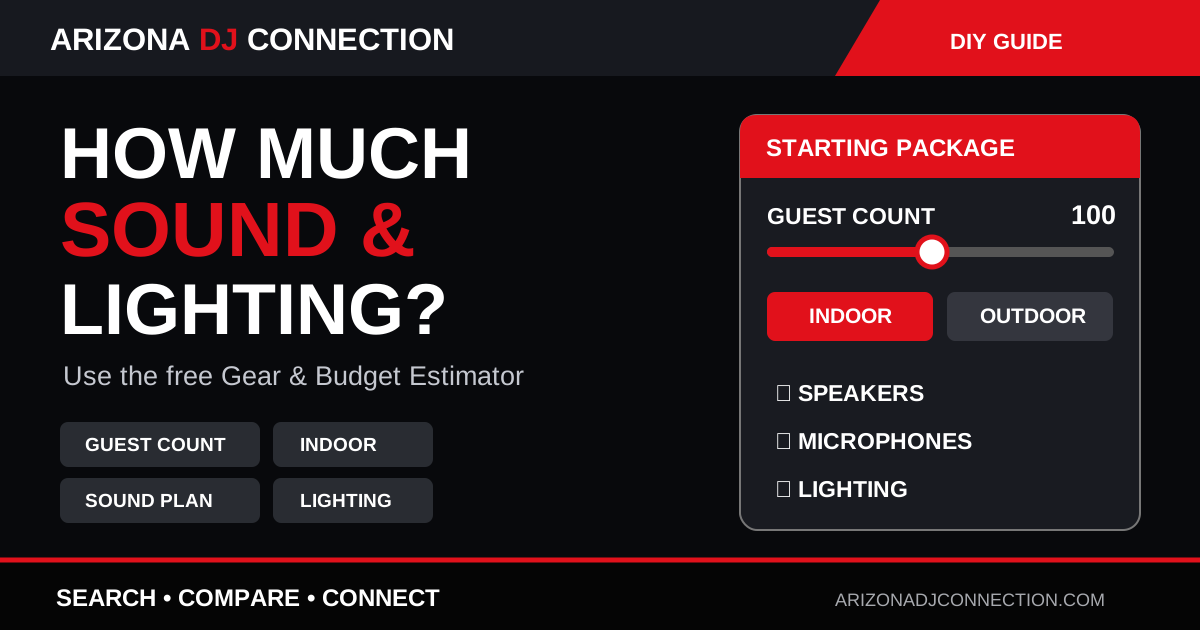
Go to **/gear-estimator** on Arizona DJ Connection. You will see a guest-count slider, Indoor and Outdoor buttons, and a recommended starting package.
No technical background is needed to begin.
Step 2: Set Your Guest Count
Move the slider to your expected attendance. The tool currently supports **25 to 350 guests**, in steps of 25.
Use the likely number of attendees rather than the venue's maximum capacity. A venue that holds 300 people does not necessarily need a 300-person setup for a party of 75.
As the number increases, the suggested sound and lighting plan changes.
Step 3: Choose Indoor or Outdoor
Select the setting where most guests will hear the music.
Outdoor events may need extra sound coverage and careful attention to wind, protected power, weather, and speaker placement. Indoor spaces bring different acoustic considerations.
Switch between the two options and note how the suggested checklist changes.
Step 4: Understand the Event Tier
The result may say **Small event**, **Standard event**, **Large event**, or **High-capacity event**.
These are starting categories, not universal industry standards. A quiet awards dinner and a dance-focused party with the same guest count can require different systems.
Step 5: Read the Sound Checklist
Depending on your inputs, the tool may suggest:
- Main powered speakers - Subwoofers - Wireless microphones - A DJ controller or mixer - Backup playback - Additional coverage speakers
Do not automatically buy or request every item. Instead, ask a DJ how the proposed system will cover your venue, whether ceremony audio needs a separate setup, and what backup equipment is available.
Step 6: Read the Lighting Checklist
The estimator may recommend dance-floor lighting, uplighting, or optional accent lighting.
Dance-floor lighting supports party energy. Uplighting adds color to walls and architectural details. Accent lighting can highlight specific moments.
Decide what you want the room to feel like before adding optional upgrades.
Step 7: Treat the Budget Range as a Starting Point
The tool displays a **gear / production planning range**. It is not a live market price, booking offer, or complete quote.
Actual DJ proposals can include performance time, planning, travel, staff, ceremony systems, setup logistics, and other services.
Use the range to begin a conversation, not to set a universal price.
Step 8: Compare Scenarios
Try this exercise:
1. Enter your expected guest count and choose Indoor. 2. Note the suggested sound and lighting items. 3. Switch to Outdoor. 4. Increase the guest count if attendance is uncertain. 5. Record the changes that matter for your event.
This is useful when deciding between a ballroom and a courtyard or when the guest list is still changing.
Step 9: Create a Vendor Brief
Write down these details before requesting DJ proposals:
- **Event type:** Wedding, birthday, school event, or company celebration. - **Date and venue:** Include the Arizona city. - **Guest count:** Expected number or range. - **Setting:** Indoor, outdoor, or both. - **Sound areas:** Ceremony, cocktail hour, dinner, and dance floor. - **Microphones:** Officiant, speeches, announcements, or performances. - **Lighting:** Dance-floor lights, uplighting, or none. - **Coverage:** When music and announcements are needed. - **Restrictions:** Power, weather backup, sound limits, and access times.
A clear brief makes it easier to compare complete proposals.
Step 10: Ask the DJ to Explain the Plan
A professional may recommend different equipment from the estimator. That can be appropriate because room shape, acoustics, venue restrictions, and the DJ's available systems all affect the real plan.
Ask what is included, why the equipment fits the venue, whether multiple setups are needed, and which extras cost more.
For outdoor Arizona events, confirm safe power distribution, weather protection, cable routes, and a backup location with the venue and production team.
Your Next Step
Open the estimator, save your checklist in your event notes, and then use the DJ Matchmaker to research Arizona DJ profiles.
**Estimate the needs. Compare the plans. Connect directly.**